
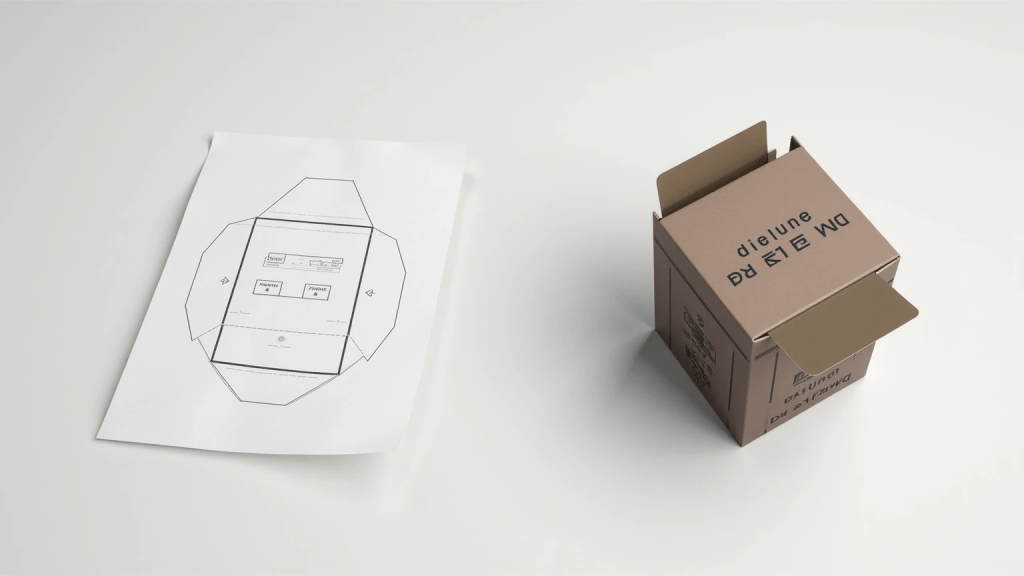
Understanding Dielines: A Blueprint for Packaging Success
A dieline is an essential template used during the packaging design process, functioning much like a blueprint for constructing a building. It meticulously outlines where cuts, folds, and other design elements should appear on the physical package. Much akin to an architect’s plan, a dieline ensures that all dimensions, creases, and cut lines align perfectly once the design is printed and assembled. These templates are crucial for translating digital designs into tangible, functional packaging, ensuring that everything fits together as intended.

The significance of dielines cannot be overstated, as they guide designers and manufacturers alike. By serving as a detailed plan, dielines help streamline the production process, ensuring consistency and reducing errors. Without these blueprints, the risk of misalignment, design flaws, and production waste increases significantly. Dielines ensure that every element of a package’s design—from intricate branding details to structural components—is precisely executed, resulting in a professional and cohesive final product.
Key Components of a Dieline
The key components of a dieline are crucial for defining the precise structure and appearance of packaging materials.
1. Cut Lines:
These lines mark where the die cutter will make incisions on the packaging material. Clearly defined cut lines ensure the package achieves its intended shape and size, playing a pivotal role in the final form of the product.
2. Fold Lines:
Fold lines, often depicted as dashed lines, indicate where the packaging material should bend. Accurate fold lines ensure that the package assembles correctly, maintaining both functionality and aesthetic appeal.
3. Crease Lines:
Crease lines are vital for structural integrity, guiding the creation of smooth, tension-free folds. They are especially critical for thicker materials, helping to achieve precise bending without compromising the structure.
4. Bleed Lines:
These lines extend beyond the cut lines to allow artwork to reach the package edges without unwanted borders. Bleed lines are essential for visual appeal, preventing white edges after trimming and ensuring the design appears professional.
5. Safety Margins:
Encompassing a secure area around the package’s design elements, safety margins are designed to prevent important graphics or text from being inadvertently cut off. They ensure that essential information remains intact and is not compromised during the manufacturing process.
Each element of the dieline contributes to a well-crafted, reliable packaging solution, ensuring both visual and structural quality in the final product.
Steps to Create a Dieline for Custom Packaging Projects
Choosing the right software is the first crucial step in dieline creation. Popular options like Adobe Illustrator and ArtiosCAD are favored for their user-friendliness and precision. Adobe Illustrator is excellent for designing vector art, making it ideal for beginners. ArtiosCAD, on the other hand, caters to complex packaging needs with its advanced features tailored for precision in structural design. Opt for vector-based tools, as they maintain image integrity at any scale, which is essential for an accurate and professional dieline.
Taking accurate measurements is vital to ensure the dieline fits the product perfectly before production. Imagine designing a box that ends up being too small; it would be a costly error that’s easy to avoid with precise measurements. Measure the product dimensions carefully and double-check your figures. This step sets the foundation for a successful dieline, aiding in minimizing production mishaps.
Creating the dieline layout involves a systematic step-by-step drafting process based on the product dimensions. This involves meticulously incorporating cut lines, fold lines, and crease lines. Start by sketching a rough layout using the dimensions, and then refine it by adding indicators for folds and creases. Ensuring these elements are correctly placed is crucial for the structural integrity and assembly of the packaging.
Design element placement is another key aspect of dieline creation. Strategically place graphics, logos, and text within the dieline to ensure they align correctly and are unaffected by cutting or folding. This involves carefully considering the positioning to avoid critical information being trimmed. Employing safety margins, usually about 1/8 inch inside the cut lines, helps safeguard important design elements during the cutting process.
Common Dieline Mistakes to Avoid
Utilizing incorrect software for dieline creation is a critical mistake that many designers make. Software not specifically designed for designing dielines, such as Adobe Photoshop, can lead to inaccurate dimensions due to its raster-based graphics system, which are not scalable without quality loss. Instead, designers should opt for vector-based tools like Adobe Illustrator or ArtiosCAD, which ensure precision and maintain sharpness at any size.
Another common oversight is neglecting to include bleed and fold markers in dieline designs. Bleed refers to the area that extends beyond the actual intend lines of the dieline, allowing for minor inaccuracies in cutting without leaving unprinted edges. Similarly, fold markers guide the printer on where to make creases, ensuring that the finished package aligns correctly. Missing these critical components can cause production delays and compromise the final product.
Lastly, ignoring safety margins in designs can lead to undesirable results, such as cutting off vital information or graphics. Safety margins ensure that crucial design elements remain intact even if cutting or folding shifts slightly. Incorporating these margins into your dieline design is essential for preserving the integrity of the packaging, preventing important content from accidentally being trimmed.

Applications of Dielines Beyond Custom Packaging
Dielines are not limited to packaging; they also play a crucial role in creating brochures and marketing materials. These precision guides ensure that printed materials are cut and folded accurately, resulting in professional-looking brochures that can greatly enhance marketing efforts. By using dielines, companies can maintain consistency in the presentation of their marketing collateral, reinforcing brand messages and ensuring that all design elements are perfectly aligned.
When it comes to labeling bottles and jars, dielines are indispensable tools. The process of die-cutting labels for curved surfaces, like bottles and jars, requires exact measurements, which dielines provide. They guide the placement of labels, ensuring that important information and design elements are visible and undistorted, which is critical for maintaining the brand’s visual identity and meeting regulatory requirements.
Signage and displays also benefit from the use of dielines. Whether creating storefront displays or promotional signage, dielines guarantee precise cuts and folds, leading to effective and eye-catching displays. This accuracy is imperative for attracting customers and ensuring that signs deliver their intended message clearly and efficiently. By relying on dielines, businesses can create impactful promotional materials that captivate audiences and drive engagement.
Conclusion: Perfecting Your Dieline for Effective Packaging
Creating a perfect dieline is crucial to the success of packaging design. Here are some final tips to ensure a successful dieline creation process. First, designers should double-check all measurements to avoid costly errors in the production phase. Accurate dimensions guarantee the package will assemble correctly and look visually appealing. Second, maintaining clear communication with manufacturers throughout the design process is vital. This ensures that all technical specifications, such as fold lines and graphics placement, are accurately represented. By adhering to these critical guidelines, designers can produce a dieline that not only meets manufacturing requirements but also enhances the overall presentation of the product.
FAQ Section
What software is recommended for creating dielines?
The recommended software for creating dielines includes Adobe Illustrator and ArtiosCAD, as they are user-friendly and provide precision for packaging design.
Why are bleed lines important in a dieline?
Bleed lines are important because they allow artwork to reach the package edges without unwanted borders, preventing white edges after trimming and ensuring a professional design appearance.
What are common mistakes to avoid when designing a dieline?
Common mistakes include using incorrect software, neglecting bleed and fold markers, and ignoring safety margins, all of which can lead to production errors and compromised designs.
How do dielines enhance marketing materials?
Dielines ensure marketing materials like brochures are cut and folded accurately, enhancing professionalism and consistency in brand presentation.





留下评论